

Understanding molecular geometry feels abstract when you're staring at 2D drawings in a textbook. Three-dimensional molecular structures challenge students because spatial reasoning doesn't come naturally to everyone. This guide walks you through molecular modeling step by step, from drawing Lewis structures to building interactive models that make chemistry concepts click. You'll learn practical techniques using both physical kits and software tools, empowering you to visualize chemical structures with confidence and accuracy.
Table of Contents
- Key takeaways
- What you need: tools and materials for molecular modeling
- Step-by-step guide to building molecular models with Avogadro
- Physical modeling kits: hands-on construction and common challenges
- Verifying and interpreting your molecular models
- Enhance your chemistry learning with Atomency's interactive platform
- Frequently asked questions
Key Takeaways
| Point | Details |
|---|---|
| Lewis structures first | Begin by drawing Lewis structures to determine connectivity and electron distribution for accurate geometry. |
| VSEPR shapes | Use VSEPR theory to predict molecular shapes from electron domain geometry. |
| Tactile and digital tools | Combine physical kits and software like Avogadro to model structures with both tactile and digital precision. |
| MMFF94 optimization | Apply MMFF94 force field to quickly optimize geometry and learn typical bond lengths and angles. |
| Interactive simulations boost understanding | Interactive simulations offer browser based molecular builders that align with NGSS standards. |
What you need: tools and materials for molecular modeling
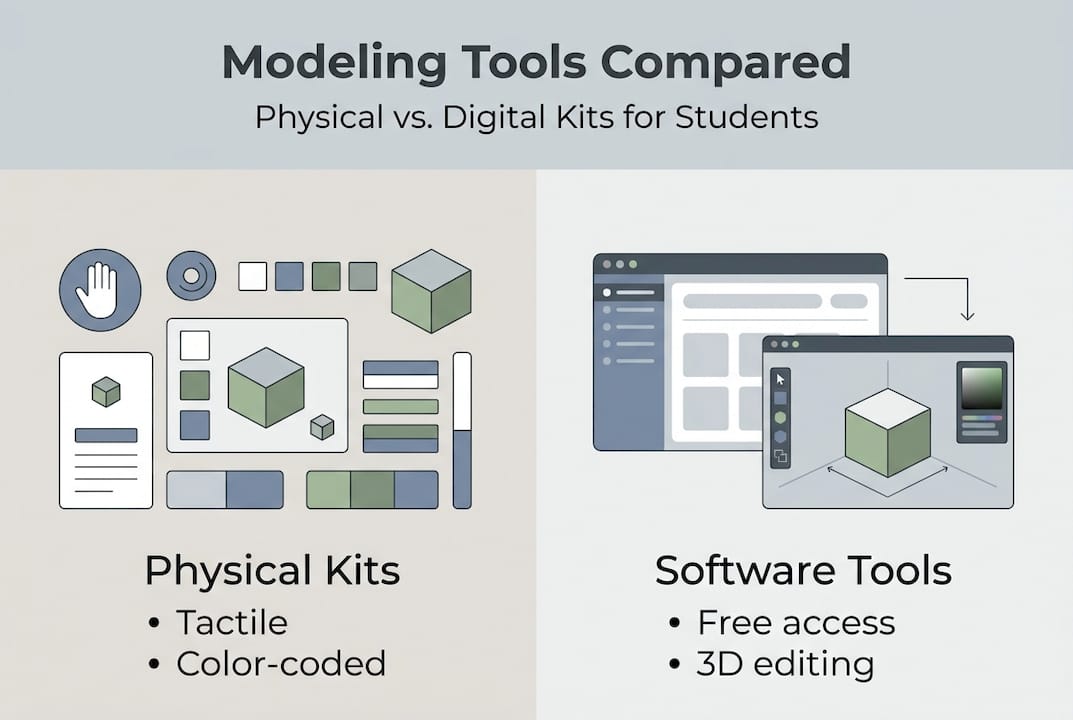
Before building molecular models, gather the right materials for your learning style. Physical modeling kits offer tactile engagement, while software tools provide flexibility and precision.
Physical kits include color-coded atom balls representing different elements. Carbon appears black, oxygen red, nitrogen blue, and hydrogen white in most standard sets. Connectors simulate bonds: rigid sticks for single bonds, flexible tubes for double and triple bonds. Some kits include special balls with extra holes to represent lone electron pairs, crucial for accurate molecular geometry.
Software tools like Avogadro provide digital alternatives for molecular modeling that starts with drawing Lewis structures, predicting geometry using VSEPR theory, and building structures with virtual atoms and bonds. These programs automatically optimize molecular geometry using computational methods. Interactive simulation platforms like those aligned with NGSS standards offer browser-based molecular builders requiring no downloads or installations.
You'll need foundational chemistry knowledge before starting. Master Lewis structure drawing to determine correct atom connectivity and electron distribution. Understand VSEPR theory to predict molecular shapes based on electron domain geometry. Know basic bonding principles including single, double, and triple bonds plus lone pair effects on molecular shape.
| Feature | Physical Kits | Software Tools |
|---|---|---|
| Cost | $20-50 per set | Free to $100 |
| Portability | Limited by kit size | Works on any device |
| Accuracy | Depends on assembly | Force field precision |
| Learning curve | Immediate, tactile | Requires software familiarity |
| Flexibility | Fixed atom inventory | Unlimited virtual atoms |
Pro Tip: Select central atom balls based on electron domains, not just atom type. A carbon with four single bonds needs a tetrahedral ball with four holes, but a carbon with one double bond needs a trigonal planar ball with three holes.
Step-by-step guide to building molecular models with Avogadro
Avogadro simplifies molecular modeling through an intuitive interface perfect for high school chemistry. Follow these exact steps to create accurate molecular structures.
-
Open Avogadro and create a new file. Navigate to View and set display mode to Ball and Stick for clear visualization. This mode shows atoms as spheres and bonds as cylinders, matching physical model appearance.
-
Select the pencil tool from the toolbar. Click the element dropdown to choose your atom type. Start with the central atom, typically the least electronegative element. Click in the workspace to place atoms. Select bond order (single, double, or triple) before connecting atoms by clicking and dragging between them.
-
Adjust hydrogen atoms using the automatic function or add them manually. Avogadro calculates correct valence but verify each atom satisfies octet rules. Carbon needs four bonds, nitrogen three, oxygen two, and hydrogen one. Remove extra hydrogens by selecting them and pressing delete.
-
Click Extensions, then Optimize Geometry. Select MMFF94 force field from the dropdown menu. This computational method adjusts atom positions to minimize energy, producing realistic bond lengths and angles. The optimization runs in seconds for small molecules.
-
Measure bond lengths and angles using the ruler tool. Click two atoms to see bond length in angstroms. Click three atoms for bond angles in degrees. Compare measurements to known values for your molecule type. Water should show approximately 104.5 degrees for the H-O-H angle.
Pro Tip: MMFF94 provides quick optimization perfect for classroom learning, but remember it's an approximation. Advanced quantum methods offer higher accuracy but require significantly more computation time beyond high school scope.
Explore molecular builder simulations for additional practice with different molecule types and complexity levels.
Physical modeling kits: hands-on construction and common challenges
Physical kits offer tactile learning experiences that cement spatial understanding. Building molecules by hand engages different cognitive pathways than digital tools.

Start by identifying your central atom based on electron domain count, not just element type. Count bonding pairs and lone pairs around the central atom. Four electron domains require a tetrahedral ball, three domains need trigonal planar, two domains use linear. This determines the correct ball geometry before inserting connectors.
Use flexible spring connectors for double and triple bonds. Rigid sticks represent only single bonds. Double bonds need two springs side by side, triple bonds require three. The flexibility mimics real molecular behavior where multiple bonds restrict rotation compared to single bonds.
Include lone pairs using short pegs or colored markers in available holes. Lone pairs occupy electron domains just like bonding pairs, affecting overall molecular shape. Ammonia (NH3) has three N-H bonds plus one lone pair, creating trigonal pyramidal geometry instead of trigonal planar.
Common mistakes include:
- Selecting wrong central atom ball geometry for the electron domain count
- Using rigid connectors for double or triple bonds
- Forgetting to represent lone pairs as electron domains
- Placing atoms in incorrect positions relative to VSEPR predictions
- Forcing connectors into holes at wrong angles, distorting geometry
Careful selection of central atom balls based on total electron domains, not just bonding domains, ensures accurate molecular shape representation in physical models.
Pro Tip: Build complex molecules section by section, starting from the central atom and working outward. Complete one bonding region fully before moving to the next, maintaining clear spatial organization throughout assembly.
Check molecular modeling resources for additional construction techniques and troubleshooting guides.
Verifying and interpreting your molecular models
Accurate models require verification against known chemical principles. Both physical and software models need checking to ensure they represent real molecular geometry.
Measure bond lengths and angles to verify chemical correctness. Typical C-C single bonds measure 1.54 angstroms, C=C double bonds 1.34 angstroms, and C≡C triple bonds 1.20 angstroms. Bond angles should match VSEPR predictions: 109.5 degrees for tetrahedral, 120 degrees for trigonal planar, 180 degrees for linear geometry. Significant deviations indicate assembly errors or optimization problems.
| Model Type | Accuracy | Visualization | Flexibility | Best For |
|---|---|---|---|---|
| Physical kits | Moderate | Excellent tactile | Limited atoms | Hands-on learners |
| MMFF94 software | Good approximation | Clear 3D rendering | Unlimited molecules | Quick classroom demos |
| Advanced quantum | High precision | Computation-heavy | Research molecules | Beyond high school |
Observe key geometric features when interpreting models. Identify the electron domain geometry first, then determine molecular geometry by considering only atom positions. Note how lone pairs compress bond angles slightly below ideal values. Water's 104.5-degree angle falls below the ideal 109.5-degree tetrahedral angle because lone pairs repel more strongly than bonding pairs.
MMFF94 force fields approximate molecular mechanics but have limitations compared to quantum methods. Force fields use simplified mathematical functions to calculate energy, treating bonds as springs and atoms as balls. This approach works well for geometry optimization but cannot predict electronic properties or reaction mechanisms accurately. Advanced methods like Density Functional Theory (DFT) solve quantum mechanical equations for higher precision.
High school models prioritize conceptual understanding over experimental precision. Your goal is grasping spatial relationships and geometry principles, not matching research-grade accuracy. Professional chemists use sophisticated computational methods and experimental techniques beyond classroom scope.
Signs your model needs correction:
- Bond angles differ by more than 5 degrees from VSEPR predictions
- Atoms overlap or appear unrealistically close together
- Bond lengths fall outside typical ranges for that bond type
- Molecular shape contradicts electron domain geometry
- Software optimization fails to converge or produces errors
Refer to chemistry equations and principles when verifying complex molecular structures.
Enhance your chemistry learning with Atomency's interactive platform
Ready to practice molecular modeling with instant feedback? Atomency offers a free interactive chemistry platform designed specifically for high school students and teachers. Build molecules in your browser, run simulations, and explore chemical concepts without downloads or login requirements.

The platform's molecular builder lets you construct structures atom by atom, automatically calculating geometry and properties in real time. Interactive simulations covering reaction kinetics, gas laws, and chemical equilibrium complement your modeling practice. Every tool aligns with NGSS standards for chemistry education, supporting AP Chemistry, IB Chemistry, and A-Level curricula.
Explore the complete suite of molecular modeling and simulation tools to deepen your understanding of chemical structures and behavior.
Frequently asked questions
What is molecular modeling and why is it important in high school chemistry?
Molecular modeling creates three-dimensional representations of molecules to understand their structure, shape, and behavior. It transforms abstract chemical formulas into visual, tangible objects that reveal how atoms connect and arrange in space. This visualization helps students grasp bonding principles, predict molecular properties, and understand why molecules behave differently based on their geometry.
How do software tools like Avogadro help in molecular modeling?
Avogadro provides an accessible way to draw, optimize, and measure molecular structures digitally. It uses force fields like MMFF94 to approximate molecular geometry quickly, calculating realistic bond lengths and angles in seconds. The software eliminates physical kit limitations, allowing unlimited atom types and complex structures while offering precise measurement tools for verification.
What are some common mistakes when building molecular models?
Students frequently misplace atoms, forget lone pairs, or use incorrect bond orders when constructing models. Physical kit errors include selecting wrong central atom balls for the electron domain count or using rigid connectors for multiple bonds. Software mistakes involve skipping geometry optimization or misinterpreting force field results as exact predictions rather than approximations.
Can molecular modeling predict real-life chemical properties accurately?
High school molecular modeling focuses on visualization and conceptual understanding, not precise property predictions. Basic models using MMFF94 or physical kits provide good geometry approximations suitable for learning spatial concepts. Advanced computational methods like Density Functional Theory offer research-grade accuracy but require expertise and resources beyond typical classroom settings.
How do I choose between physical kits and software for molecular modeling?
Choose based on your learning style and available resources. Physical kits excel for tactile learners who benefit from hands-on manipulation and group collaboration. Software tools work better for complex molecules, precise measurements, and students comfortable with digital interfaces. Many educators use both methods together, starting with physical models for basic concepts before advancing to software for detailed analysis.